
Micro Learning: Yes/No Workflows

Key Takeaways
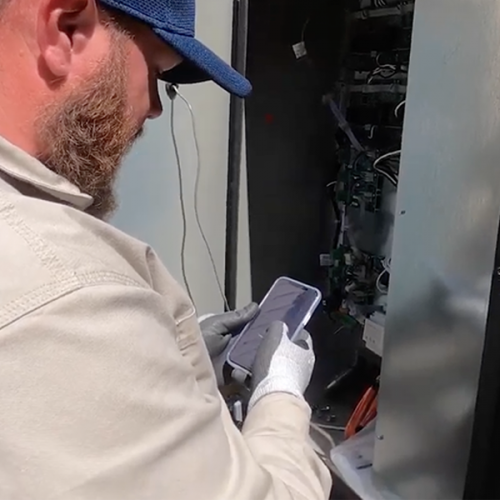
Yes/No workflow steps are one of XOi's most powerful tools for standardizing field documentation. This micro-learning video walks through how to build and use conditional yes/no steps to guide technicians through complex jobs consistently.
Guide decisions
Yes/No workflow steps guide technicians through key decisions, helping maintain consistency across complex jobs.
Consistent always
Structured steps keep the process consistent regardless of a technician’s experience level.
Using Yes/No Workflow Steps to Standardize Field Documentation
Yes/No workflow steps are one of XOi's most powerful tools for creating consistent, guided documentation in the field. By using conditional logic, teams can help technicians capture the right information at the right time while reducing confusion and missed steps.
In this micro-learning video, you'll learn how to build and use conditional Yes/No steps to guide technicians through complex jobs with greater clarity and consistency.
What You'll Learn
- Build Conditional Steps: Create Yes/No workflow paths that adapt based on technician responses.
- Guide Complex Jobs: Help technicians follow the correct process based on jobsite conditions.
- Standardize Documentation: Ensure critical information is captured consistently across every service call.
- Reduce Missed Steps: Use guided workflows to keep technicians aligned with required procedures.
- Improve Data Quality: Capture cleaner, more actionable field data for managers, office teams, and customers.
Creating More Consistent Field Workflows
Conditional Yes/No steps make it easier to turn complex processes into clear, repeatable workflows. When technicians are guided through each decision point, they can document work more accurately and complete jobs with greater confidence.
Watch the video to learn how to use Yes/No workflow steps to create smarter workflows, improve documentation quality, and support more consistent field execution.
Explore more on this topic
You might also be interested in these resources
.webp)
.webp)
.webp)



Ready to put your asset data to work?
See how XOi turns asset intelligence into better outcomes for every stakeholder in the field service ecosystem.